
Pokémon Emerald Imperium is a unique and enhanced version of the classic Pokémon Emerald, offering new gameplay mechanics, updated features, and exciting challenges. If you’re eager to experience it, you must first patch the game correctly. This guide will walk you through the step-by-step process to patch Pokémon Emerald Imperium on Android, PC, and iOS using a simple online method. The official source for downloading the required patch file and information is available exclusively on this page. Follow the instructions below to ensure a smooth setup.
 (No Ratings Yet)
 Loading...
What You Will Need to Patch the Game Pokémon Emerald Imperium
Pokémon Emerald Imperium Patch File (download it from this page).
A Clean Pokémon Emerald ROM File (you can search for one on Google).
A browser with access to an online patching tool.
By following the steps below, you’ll be able to patch the game directly from your browser without requiring additional software.
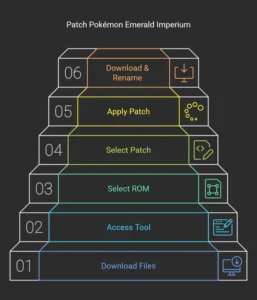
How to Patch Pokémon Emerald Imperium on Android
Download the required files – Get the Pokémon Emerald Imperium Patch File from this page and ensure you have a clean Pokémon Emerald ROM.
Open your browser and visit an online ROM patching tool.
Load your ROM – Tap on “ROM File” and select the clean Pokémon Emerald ROM.
Load the patch file – Tap on “Patch File” and select the Pokémon Emerald Imperium patch.
Apply the patch – Click on the “Apply Patch” button.
Download the patched file – If it downloads as a
.txt file, simply rename it to .gba.Once completed, open the patched Pokémon Emerald Imperium ROM in your preferred Android emulator and start playing!
How to Patch Pokémon Emerald Imperium on PC
Download the necessary files – Get the Pokémon Emerald Imperium Patch File from this page.
Access a ROM patching tool through your browser.
Select your ROM – Click on “ROM File” and choose your clean Pokémon Emerald ROM.
Select the patch file – Click on “Patch File” and upload the Pokémon Emerald Imperium patch.
Apply the patch – Click on “Apply Patch” and wait for the process to complete.
Download and rename if needed – If the patched ROM downloads as a
.txt file, change the extension to .gba.Now, open the patched ROM in a Game Boy Advance emulator and enjoy playing on your PC.
How to Patch Pokémon Emerald Imperium on iOS
Download the patch file from this page and obtain a clean Pokémon Emerald ROM.
Visit an online ROM patching tool using Safari or another compatible browser.
Select your ROM – Tap on “ROM File” and choose the clean Pokémon Emerald ROM.
Select the patch file – Tap on “Patch File” and select Pokémon Emerald Imperium.
Apply the patch – Press the “Apply Patch” button.
Download and rename if needed – If the file downloads as
.txt, rename it to .gba.Finally, transfer the patched file to a compatible iOS GBA emulator, such as Delta or GBA4iOS, and start your adventure!